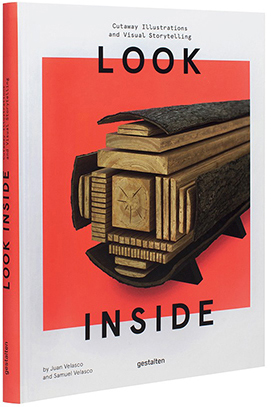
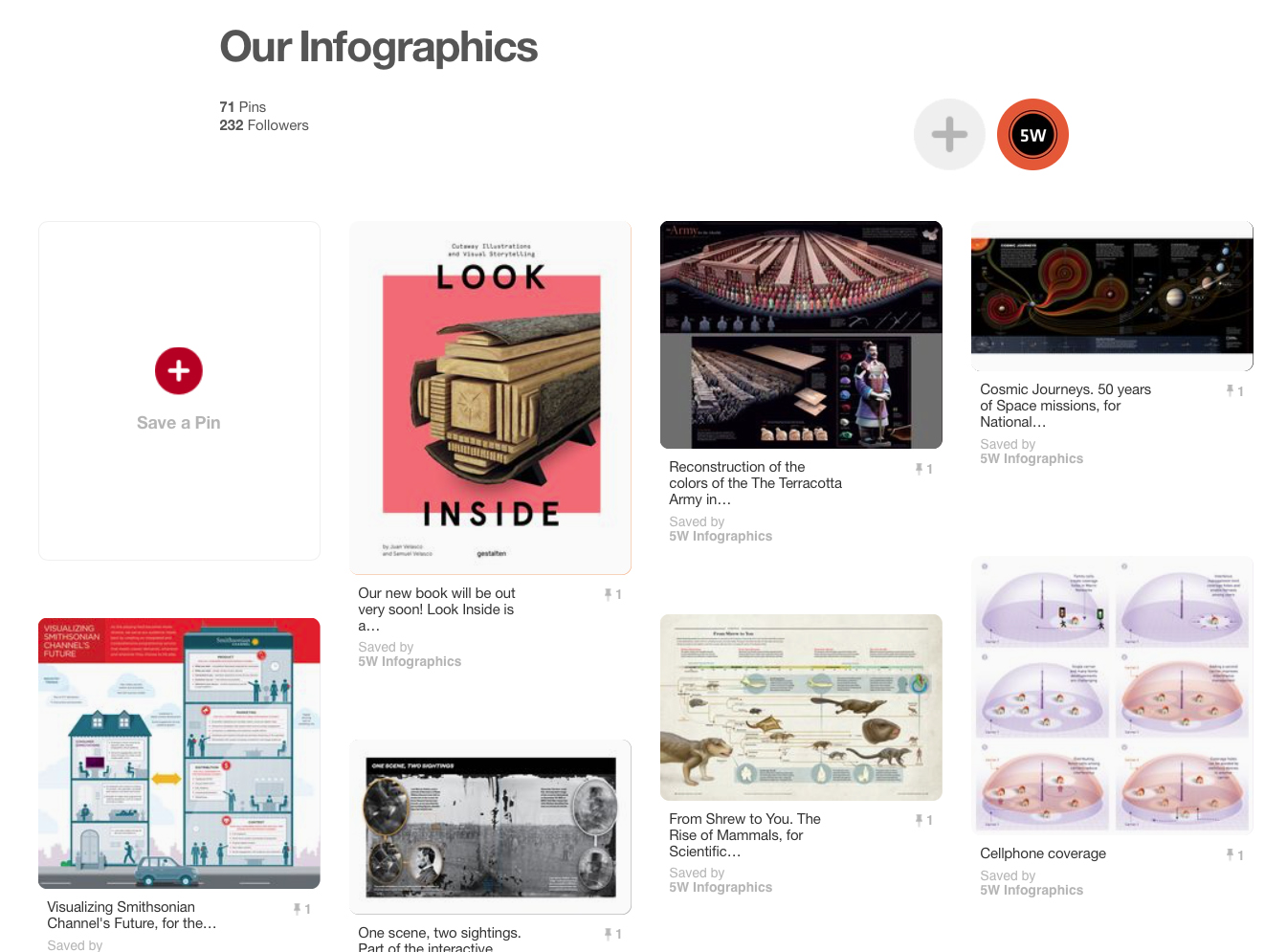
Our book LOOK INSIDE featured in Fast Company’s Co.Design

article_fastco

CO.DESIGN is great website about the intersection of business and design created by the team of FastCompany  magazine. They just published a nice review of our book Look Inside, by Meg Miller, including some nice samples. You can read it here.


lookinside_side_rgb-small

Our new book about cutaways, LOOK INSIDE: Cutaway Illustrations and Visual Storytelling is a showcase of the best, most beautiful and fascinating cutaway illustrations ever created, from historical times to now. Cutaways, exploded views, and cross sections, are explored across a wide range of applications and disciplines. Architectural renderings, anatomical illustrations, machine diagrams, and even fantasy illustrations are just a few of the various subjects presents in this compilation.

LOOK INSIDE is published worldwide by Gestalten and can be ordered in Amazon, at the Gestalten online store or wherever books are sold.

The New Tableau 10

exoplanets

Our Infographics and Data Visualization workshops always include spending a few hours using the free Tableau Public software to create interactive data visualizations with charts and maps on the web. Tableau is a great first step for those interested in data visualization online since it’s fairly easy to learn. The newest version (Tableau 10) was released three months ago and has really nice improvements including a long overdue addition of device responsiveness to visualize data across multiple devices.

We use Tableau during the workshop because it doesn’t require the coding skills necessary to use sophisticated tools such as D3.js, the tool behind many of those amazing interactives of The New York Times and others (although today you can code a nice data visualization in R, for example, with just a few lines of code). Tableau is a great exploratory tool that lets you quickly evaluate different options to visualize you data. We actually use it for print graphics as well after saving files as PDFs.

Tableau is a powerful tool but also a great way of starting to think about key concepts in interactivity: about how to use filters, buttons, navigation tool tips or exploratory dashboards to let readers dive deep in your content. It’s used by thousands of corporations as a Business Intelligence/Analytics tool to visualize their data. The free version is a useful tool for individuals and organizations interested in making data public (remember that with Tableau Public you can’t save files locally, they are all saved to Tableau server and available for anyone to see and to download, including the datasets used. You may prefer the Tableau Desktop version but it’s not cheap).

Some of the new features in Tableau 10 include:

  • Device responsiveness. You can now generate visualizations optimized for desktop, tablet, and mobile phones. Although far from perfect, it’s a big step forward in Tableau.
  • Ability to connect to data stored in Google Sheets. You can set to your visualization to refresh automatically every day, if the underlying data in your Google Sheets file changes.
  • A “highlighter” feature gives users added possibilities to sort, find and highlight specific data for ad hoc views and comparisons.
  • Cross-database joins: you can join different data sources within the program.
  • Custom Territories: Create custom areas in maps using the data built into the geocoding database.
  • And finally, a cleaner interface with new iconography, fonts and colors, sporting a cleaner, less cluttered look that I find much nicer.

In addition, the just released Tableau 10.1 includes:

  • JSON support. JSON is common file format for web based data, widely used for API-returned data. This means you can download web-based JSON files and start to visualize them right away.
  • Automatic clustering is very interesting. Tableau helps identifying interesting patterns from the data by automatically generating clusters based of the groupings/categories specified by the user.
clusterinvestigate

Clustering feature. GIF from Tableau Public website

Tableau’s website include great learning resources. If you are looking for a good book to learn it, here is the one I found most useful.

Crime in Milwaukee 3


The power of cartograms and creating them easily

tilegrams_homepage

We love the power of cartograms to show thematic data maps because they overcome some of the problems of classic choropleth maps. And they can be beautiful. So it’s exciting to see a promising new tool to create nice cartogram hexmaps automatically. It’s called Tilegrams (for “tiled cartograms”) and it has been developed by Pitch Interactive in collaboration with Google News Labs. But let’s back up a little bit, since many people are not familiar with cartograms in the first place!

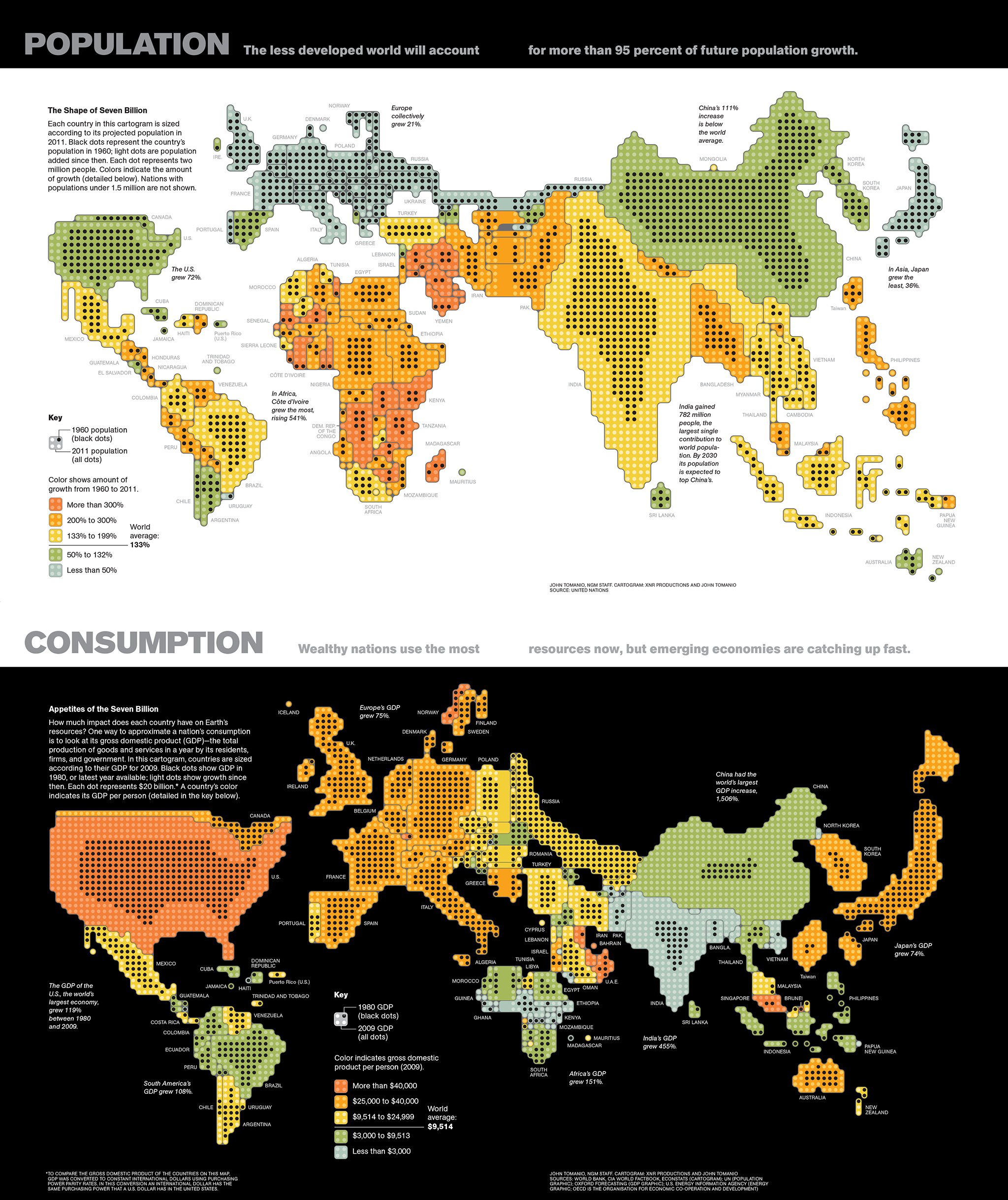
A cartogram is a map that actually functions as a chart by distorting the size of geographic areas (such as countries or states) in proportion to numerical values they represent. Here are two nice examples by John Tomanio, Director of Graphics at National Geographic. In the first map, each dot represents a specific number of people—2 million— living in a country. In the second map, each dot represents $20 billion in GDP for that country, as a proxy for consumption. The dramatic, yet entirely accurate data representation allows two different stories to emerge nicely as we see the relative weight of each country for that particular dataset. That’s the power of cartograms (the black circles here represent the same variables a few decades back, for a nice representation of growth over time).

untitled

You may say “ok, these look a little weird, why not represent these data in a choropleth map, or in other words using different shades of color in a “normal” map?”. Like the example below. Choroplet maps are ubiquitous and, while they are not incorrect, they are seen by many as misleading. They overrepresent the importance or large areas, and diminish the importance of small ones, just by virtue of their size in the page. If I plot GDP for different countries, for example, a large country with a medium value (say Brazil) “lights up” much more prominently than a country with a higher value such as Singapore, simply because Singapore is tiny and hard to see in the map. See a nice video from Vox here explaining the problem with choropleth maps.

Physician_practice_landscape_Final

One solution is to give all entities equal area and then use the choropleth technique (different shades of color represent different values). That’s more fair. But we can only show a few classes or “buckets” of data ranges, rather than precise values in each area.

equalarea

So it may be interesting to resize each area according to the number we want to represent. Some cartograms can be fairly abstract. Instead of using the approximate shapes of countries or states, they use squares, circles or other geometric shapes to represent quantities in highly stylized maps. See this map we did for Fortune, with the number of millionaire households by state in the U.S. (color here represents a second variable, the median household income).

5w-sample-054-america-millionaires1x2

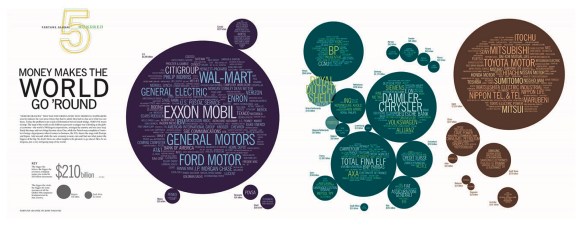
I love this type of cartogram. Here is another one by John Tomanio, a few years ago, for Fortune.
tomanio

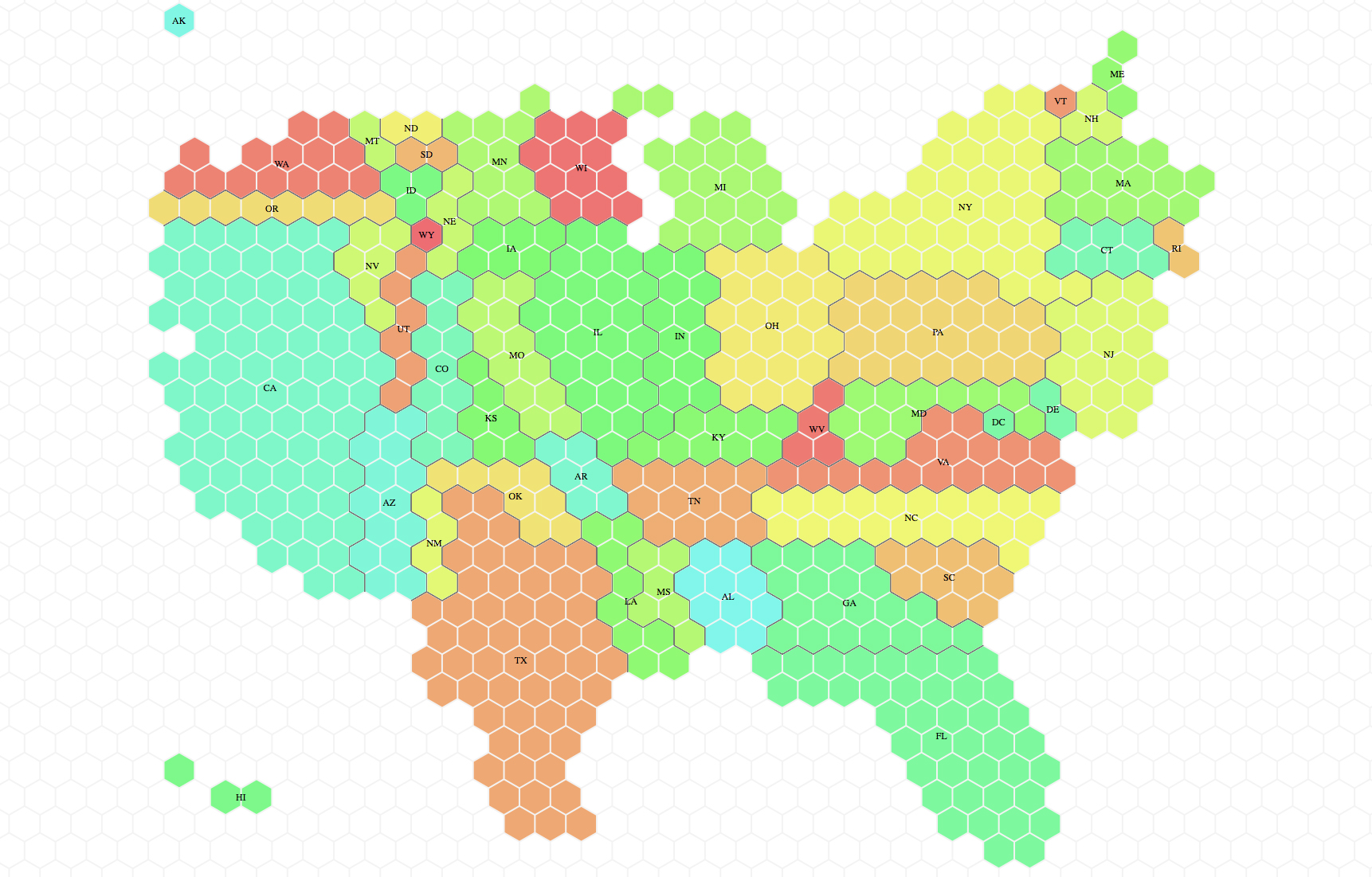
Cartograms can be really striking and powerful. Lately we have seen a comeback, and they were often used by different news organizations in the UK in the recent election cycles. A cartogram of the U.S. can be a nice way to represent that a small state in the East Coast may have many more electoral votes in the general election than a sparsely populated but large Midwest state. Here is the tilegram showing how much each state actually matters (how many electoral votes it holds) in the U.S. Much more telling than showing actual size in the context of election stories! Don’t be misled by how much blue or red you see in typical election maps.

electoralvotes

Complex cartograms have been done manually forever, for example in Adobe Illustrator, as in the case of the National Geographic maps. It’s a painstaking process, but human judgement is critical to make sure the composites of little shapes will still resemble the actual map of the area, which is entirely the point if we want to avoid confusion. You have to put them together as a jigsaw puzzle.

We have seen tools that create cartograms working in conjunction with other GIS software tools, but if you ask me, they produce grotesquely deformed maps that are a hard to decipher mess (with that strange fisheye lens effect. You have probably seen them around). I think these are useless:

cartogram_lens

Tilegrams is a really nice concept, still evolving. It plots U.S. maps using hexagon shapes, which are more versatile than squares to assemble them together in adjoining shapes with different configurations. You can use some preloaded maps (electoral votes, population, etc) or load your own data. Tilegrams allows you to show different levels of resolution. For example, the first map below shows U.S. population with 4 million people represented in each tile. The one below shows 300,000 people per tile. As you would expect, the higher resolution allows us to resemble the shape of the U.S. better (but remember states are meant to be oversized or undersized to represent the values, so the unusual proportions are to be expected.

lowres_hires

If the map starts looking a bit too weird you can drag hexagons to move them around. The tool tells the user about the statistical accuracy of each region’s surface area, as it tries to be both accurate and resemble the actual map in a difficult trade-off. You can export the map as a TopoJSON or as a SVG file, a wonderful option since it’s fully editable in Illustrator!

Pitch Interactive explains the tool here, and it continues to develop it. The company is now working on a U.S. county map. It sounds like a daunting task (there are over 3,000 counties in the U.S.). And hopefully one day we can show any country and their divisions in this simple way. I can’t wait to see what they come up with!


Our updated Pinterest and Instagram pages

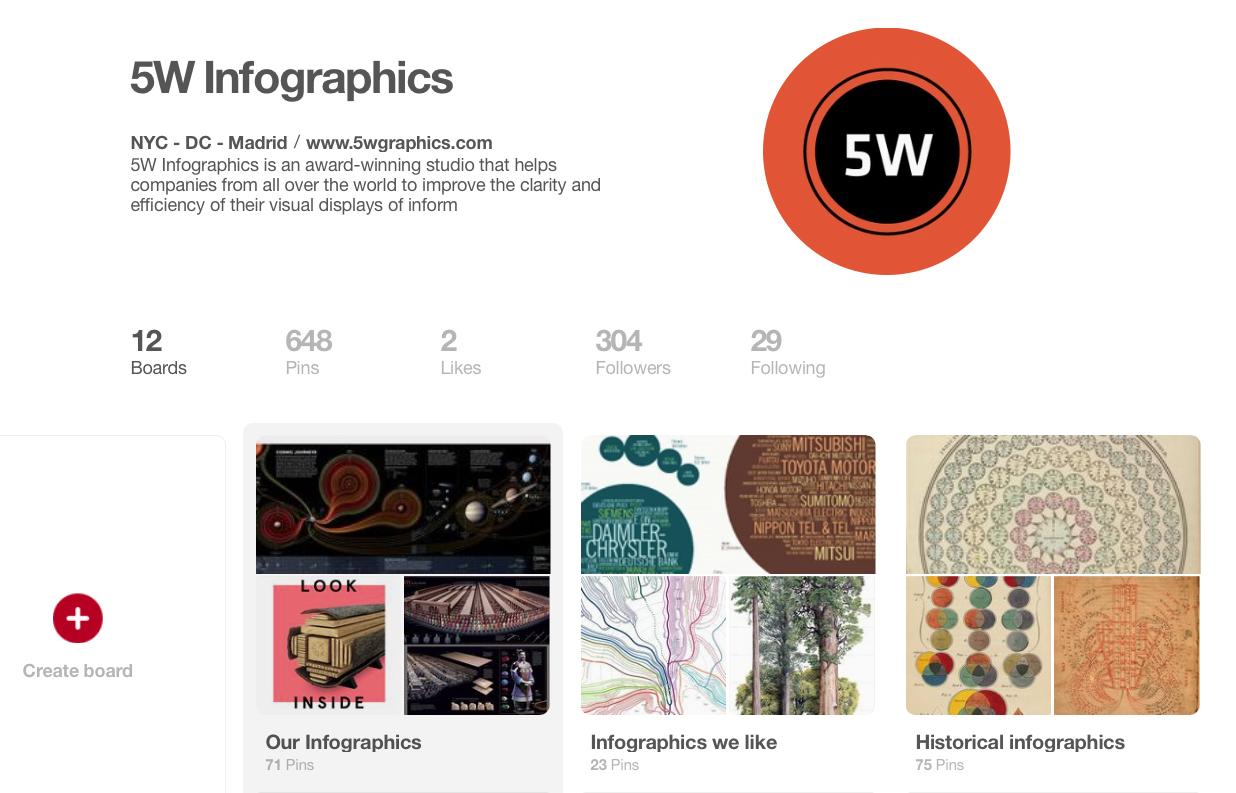
It’s been a while since we last updated our samples online, so we thought this would be a good time to do it. Check out our Pinterest page for a more complete set of samples of our infographics (including recent ones). You’ll also find a few additional boards with other infographics and images we like.

pinterest5w2

pinterest5w

We also have a new account in Instagram (@5winfographics) where we plan to add not only our infographics but other images from our workshops, trips, process, etc.

To complete the roundup of our social media presence, you can follow us on Twitter (@5Winfographics), Facebook and Linkedin

As for our main site, we are planning to update the samples section in the next few weeks as well. If you are looking for news about our infographics / data visualization workshops and training, please visit our 5W Consulting page, or email us: contact@5wgraphics.com.

instagram

A new blog by John Grimwade

John_Grimwade

For all those who (like us) are tired of seeing a lot of dataviz that is as fancy-looking as it is imcomprehensible and obtuse, we are really delighted to see that John Grimwade has a new blog on infographics. It’s called Infographics for the People. John is a necessary reference for anyone practicing information graphics or just interested in them. For decades, he’s been a master of clean, well explained and sophisticated information graphics that illuminate complex subjects for readers. John’s career includes the Times of London, Condé Nast Traveler, and a long list of freelance projects. He is also a great teacher and mentor, having taught infographics at the School of Visual Arts in NYC, at the annual “Show Don’t Tell” workshop (part of the Malofiej conference in Pamplona), and as a terrific speaker. He is currently teaching at the School of Visual Communication in Ohio University. The are plenty of interesting blogs around on data visualization, and some on infographics in general, but none that we are more excited about reading.

His mission statement summarizes the purpose nicely, and we couldn’t agree more:

“I’m trying to promote infographics that engage the general public. There is a trend towards elitist visualizations, that seem like they might be designed for data geeks. Of course, visual communication is a powerful way to help people understand, but first we have to get people on our side. Be inclusive, not exclusive. And never forget that a sense of fun is an important component in getting our message across. Infographics for the People!”

Check it out! Also, here is John’s website.


Teaching Infographics

5W_Academy copy

We’ll be in New York on March 24-25 with our well received workshop on principles of infographics and data visualization. How is it different, and what do our participants learn?

Infographics and data visualization have experienced significant change since we started 5W Infographics back in 2001. And certainly since we published our very first infographics, which takes us all the way to the late 80s! If you were thinking of infographics  and dataviz as a new field, you may want to think again.

Some of these changes are profound, in good and bad ways, and they are a big part of the reason why at 5W Academy (our educational branch) we think infographics and dataviz education are important precisely now.

Individuals and corporations have now access to massive public and private data sets, and new software applications allow us to visualize them. But that’s not the same as having the ability to a find relevant story behind the data, and the skill to visualize and design it efficiently.

We also see countless of unfortunate examples of infographics that are little more than empty decorative designs around a few numbers, the product of marketing departments with the only purpose of making content viral. It’s just pretty clickbait that gives a bad name to infographics. These have become so pervasive that sadly, many people think of that type of content first when they think of “infographics”, a trendy word now. But in nearly all cases they offer absolutely nothing in terms of revealing insightful patterns and trends behind numerical or special information.

Data visualization is not new. It’s actually been around us for hundred of years, and many of the principles behind it stand the pass of time. It’s good to look back at some of them.

At 5W we started working with infographics in the field of journalism, where focus and accuracy are paramount. During long years as staff members for newspapers like El Mundo (one of the European infographics pioneers) and The New York Times, or magazines such as Fortune and National Geographic, we were trained to seek first and foremost data sets and information that was both accurate and relevant to our readers. To find focus and to visualize that content in a visual way through charts, maps, and illustrated infographics that would offer new visual insights for our readers. With stiff competition for space in the news pages, you need to prove you can inform (not decorate) in a way neither the best writers or photographers can with the tools of their craft alone.

Today it often seems like the word “infographics” has been hijacked by marketers with inadequate understanding of data visualization principles and sometimes dubious or biased agendas; and often the term “data visualization” or dataviz has been appropriated by software wizards and digital designers more fascinated by the fact they can visualize large amounts of data than by how they can extract and explain a revealing story by visualizing the core message behind it. The result is cool but empty data art that tries to pass as information or incomprehensible “data dumps” that look fascinating but lacks proper editing and design basics and just confuse anyone with an honest intent of making sense of it.

The purpose of our workshop is to explain the principles that enable us to create powerful visual stories that illuminate concepts for readers in engaging ways. And to practice them hands-on. We haven’t found a workshop that looks at all the different tools of infographics and dataviz at the same time: the Do’s and Dont’s of plotting numbers and statistics with charts; geographic and thematic cartography; illustrations and pictograms; design, hierarchy and color; and exploring creativity with those tools.

In our next post we’ll look in detail at the content and schedule of the two-day workshop.

New workshops in NYC and Singapore

NYC_Singapore

5W Academy is heading to NYC for our next Infographics and Data visualization workshop in the US. It will be on March 24-25.

We received great feedback from our Washington, D.C. workshop back in October. A combination of local and out-of-state participants from government agencies, design studios, NGOs and other organizations got together for two days.

This two-day workshop is a comprehensive introduction to the creation of infographics and data visualization. With a mix of theory and practice, the workshop is aimed at professionals and students interested in developing the skills to produce engaging, insightful visual storytelling with their content.

We will learn how to gather and prepare data, the Do’s and Dont’s of working with numerical information and charts, and the principles of visual hierarchy, color, typography, illustration, and narrative to create impactful infographics.

5W_Academy copy

Attendees will sketch out infographics, storyboard motion graphics and create / publish their interactive data visualizations and web maps with the help of Tableau Public. The class will discuss award-winning projects and offer an overview of tools and strategies for creating infographics and data visualization.

At the same time, we are keeping busy in Asia. We’ll be back in Singapore on February 18-19 for “The Power of Infographics 4”, the fourth edition of a workshop that has proven really popular. The workshop is organized by Methodology and partnership with German leading art/design book publisher Gestalten.

Also in Singapore, we were invited to do back-to-back workshops on March 8-9, March 10-11 and possibly also March 14-15. The organizer is Maitre Allianz, a leading training services company.

New graphics for Politico

Screen Shot 2015-04-21 at 5.48.25 PM

One of our latest infographics packages is live online today. Politico have just published an in depth investigation on the safety of America’s oil and gas pipelines: “Pipelines blow up and people die”, by Elana Schor and Andrew Restuccia.

The data that Politico has unveiled reveals an appalling situation: just in the last 13 years pipeline incidents in the U.S. have killed 199 people and injured 799. Just last year 19 people died on pipeline-related incidents, injured 97, and caused more than $300 million in damage. The report goes on to reveal the incompetence of the Pipeline and Hazardous Material Safety Administration, the obscure agency that oversee the immense and outdated network of American oil and gas pipelines. It turns out that the PHMSA is controlled to some degree by (surprise!) the pipeline industry.

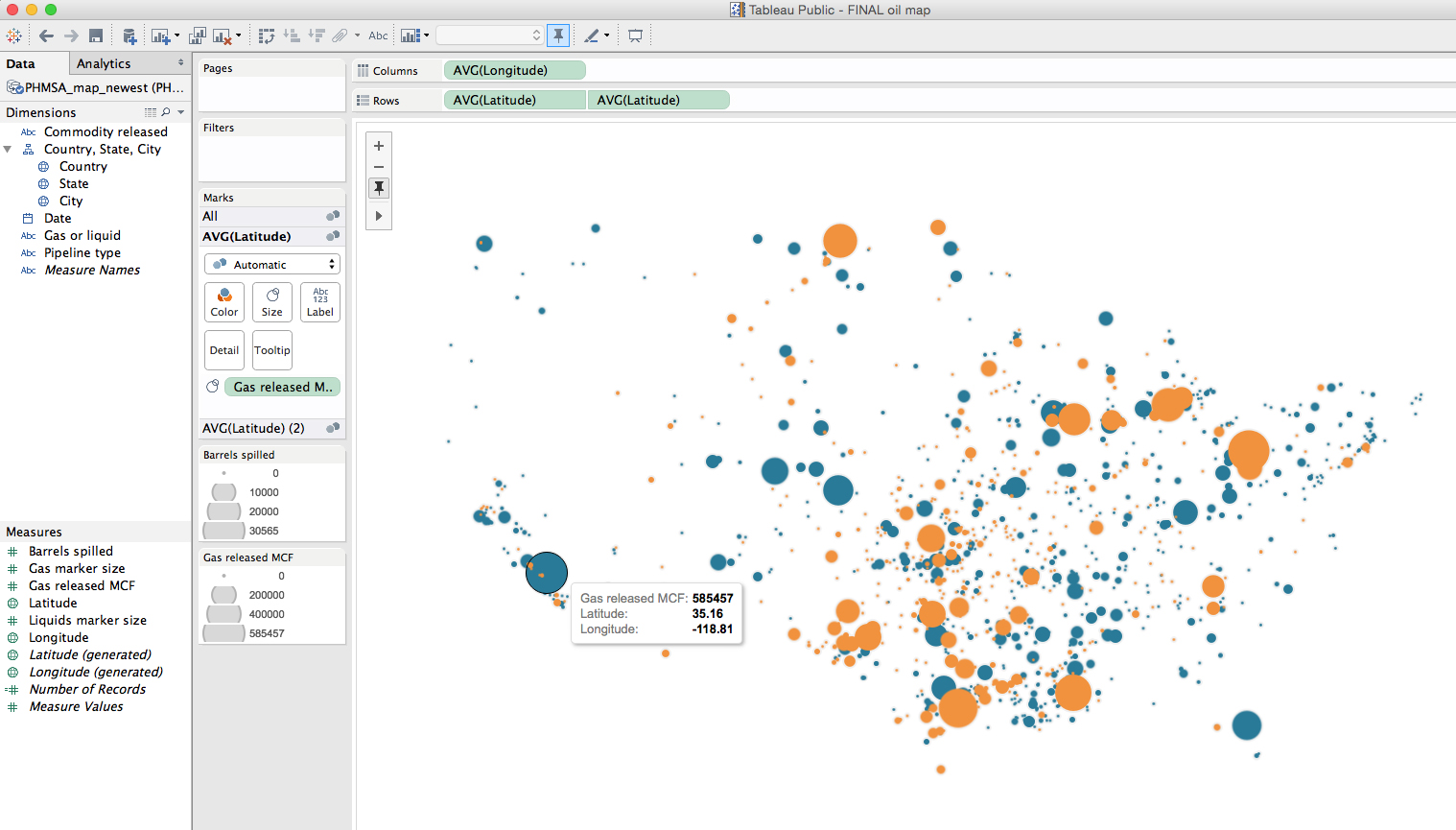
We helped Politico to visualize the very revealing data their research unveiled. The map below, created using Tableau Public and Illustrator, shows all the accidents involving oil and gas pipelines in the U.S. during the last five years.

Crime in Milwaukee 3

We are using Tableau lately to help us explore visual possibilities with large sets of data and it truly is a useful tool. Politico is not using interactivity maps and graphics yet, which would be the natural fit when using this interactive graphics tool, but we have found Tableau exports very nicely to PDF, and from there to Illustrator.

Screenshot_Pipelines_Tableau

A series of charts present various aspects of that alarming situation:

Crime in Milwaukee 3Crime in Milwaukee 3


We worked with Art Director Heather Barber and had great ideas and data sets from editor Bob King and writers Elana Schor and Andrew Restuccia.


The interactive graphics of The New York Times and The Guardian, in one place

Graphics_collection

Here is a really useful resource I found some time ago, and that I visit often: a site with most of the interactive graphics by The New York Times and The Guardian together. The page was started as a thesis project by Marije Rooze, a Dutch web designer working in information and interaction design, data visualization and coding.

The compilation starts from 2000. It hasn’t been updated very recently, but I’m hopeful it will be because it’s an amazing place to find inspiration from two newspapers that are among the very best in interactive graphics. You can filter by topic, visual form, data type, participation (social data, reader generated, etc), and other useful variables.

By the way, we can expect great new things from The Guardian since they just added Xaquín Gonzalez (ex-NY Times and Nat Geo) to their talented team as Editor of Visuals.


Data Visualization with D3.js online course


Here is an opportunity you do not want to miss: Alberto Cairo and Scott Murray are co-teaching an online course called Data Visualization and Infographics with D3.js. Alberto, professor of Information Graphics and Visualization at the University of Miami, will be teaching the conceptual part or the course, and Scott, author of Interactive Data Visualization for the Web, will introduce and explain the powerful JavaScript library D3.js.

D3.js is one of the best tools to know if you are serious about interactive data visualization online (The New York Times has done amazing things with it). It is a JavaScript library designed specifically to display and control data visualization on web browsers. The learning curve can be a bit steep if you are completely new to web programming, but it is certainly worth the effort.